
Dimensions
The assumption is that the intercompany partners manage their dimensions separately.
Real-time intercompany document exchange
The document is sent to the intercompany partner in real time.
Dates, quantities and prices are checked, then the status returns to the sending company.
Sales and purchase documents move directly between companies.
Partners can verify transaction details before approval.
Quantities and values of goods in transit remain visible.
The app enables Microsoft Dynamics 365 Business Central (former Dynamics NAV) users from multiple companies to trade between each other, mainly by exchanging the sales and purchase documents in real time. It combines the benefits of a typical EDI system with tracking of the quantity and value of goods in transit.

The app enables Microsoft Dynamics 365 Business Central (former Dynamics NAV) users from multiple companies to trade with each other, mainly by exchanging sales and purchase documents in real time. The solution combines the benefits of a typical EDI system with specific functionality requirements related to intercompany, including tracking quantities and values of in-transit items.

The document synchronization process is triggered as soon as a new sales or purchase order is released (the document must contain the information that the vendor/customer is the intercompany partner). Then, the sales/purchase order is automatically sent to a partner company, where it is kept on hold until it is verified. The verification process can include such data as agreed delivery dates, quantities and prices. After the order is approved, the system creates a target document and sends a confirmation of the order receipt to the customer. This way, both companies verify and agree upon essential elements of the document before it is processed.
The system also sends a notification after the order is sent. This way, it keeps the user updated on the status of each intercompany transaction that is processed. After the items are received in the warehouse, the invoice is posted automatically which closes the settlement of the transaction.
In addition, it is also possible to send single documents e.g. service invoices that are not managed within the logistic process.

Despite the fact that the main assumptions for the app have been developed for capital groups, it can also be used in other organizations successfully, for example in a group of business partners that collaborate closely.
Get a structured guide to Advanced Intercompany, including transaction management, functionality, usage, comparison with the standard Business Central intercompany module and implementation benefits.
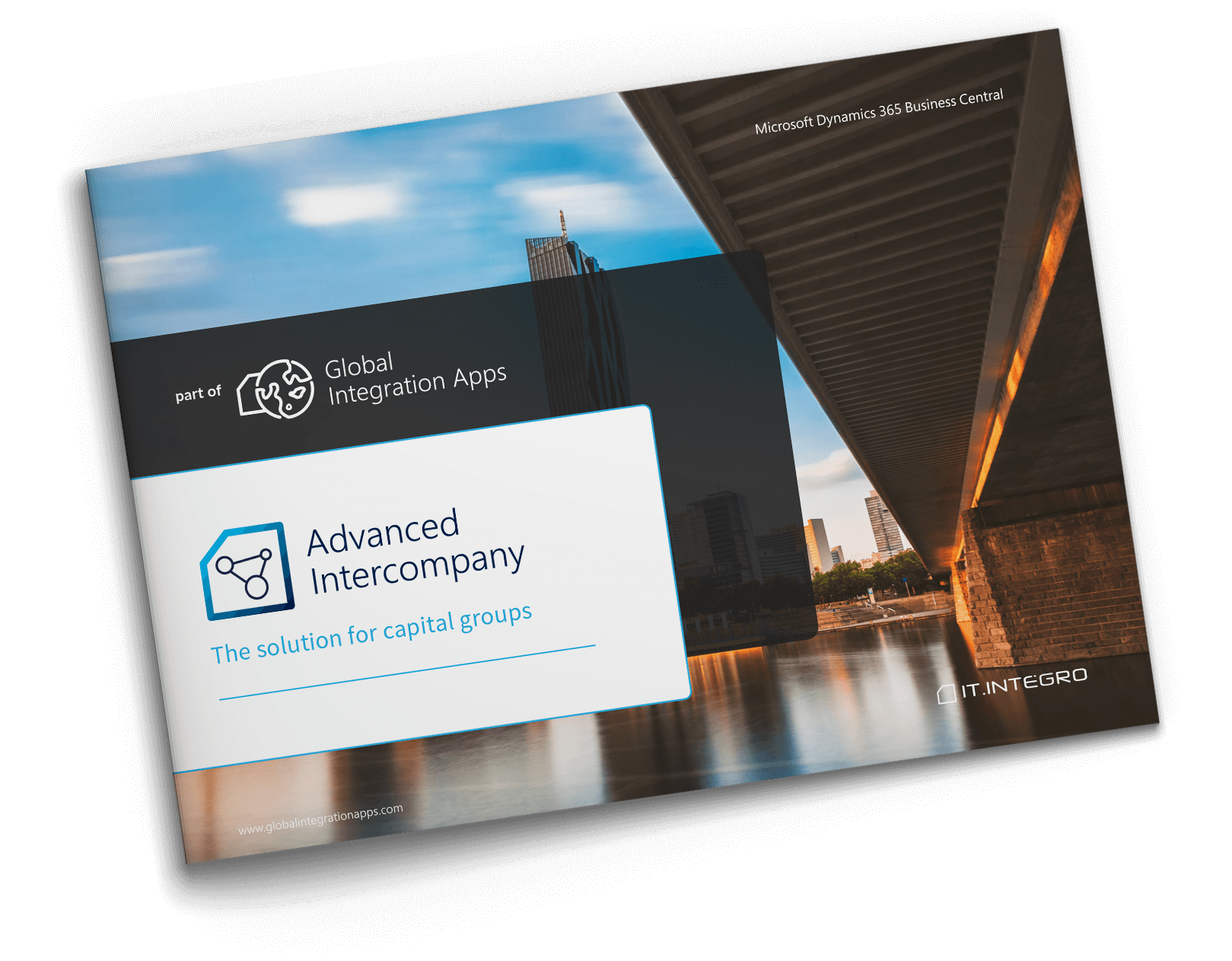
The Advanced Intercompany module is usually implemented with another app called Master Data Management System that enables the standardization of master data (e.g. item) in all subsidiaries, which facilitates the setup and functioning of the Advanced Intercompany app. However, the Advanced Intercompany app can be implemented as a standalone solution, provided that companies maintain data exchanged in standardized formats.
Read more →
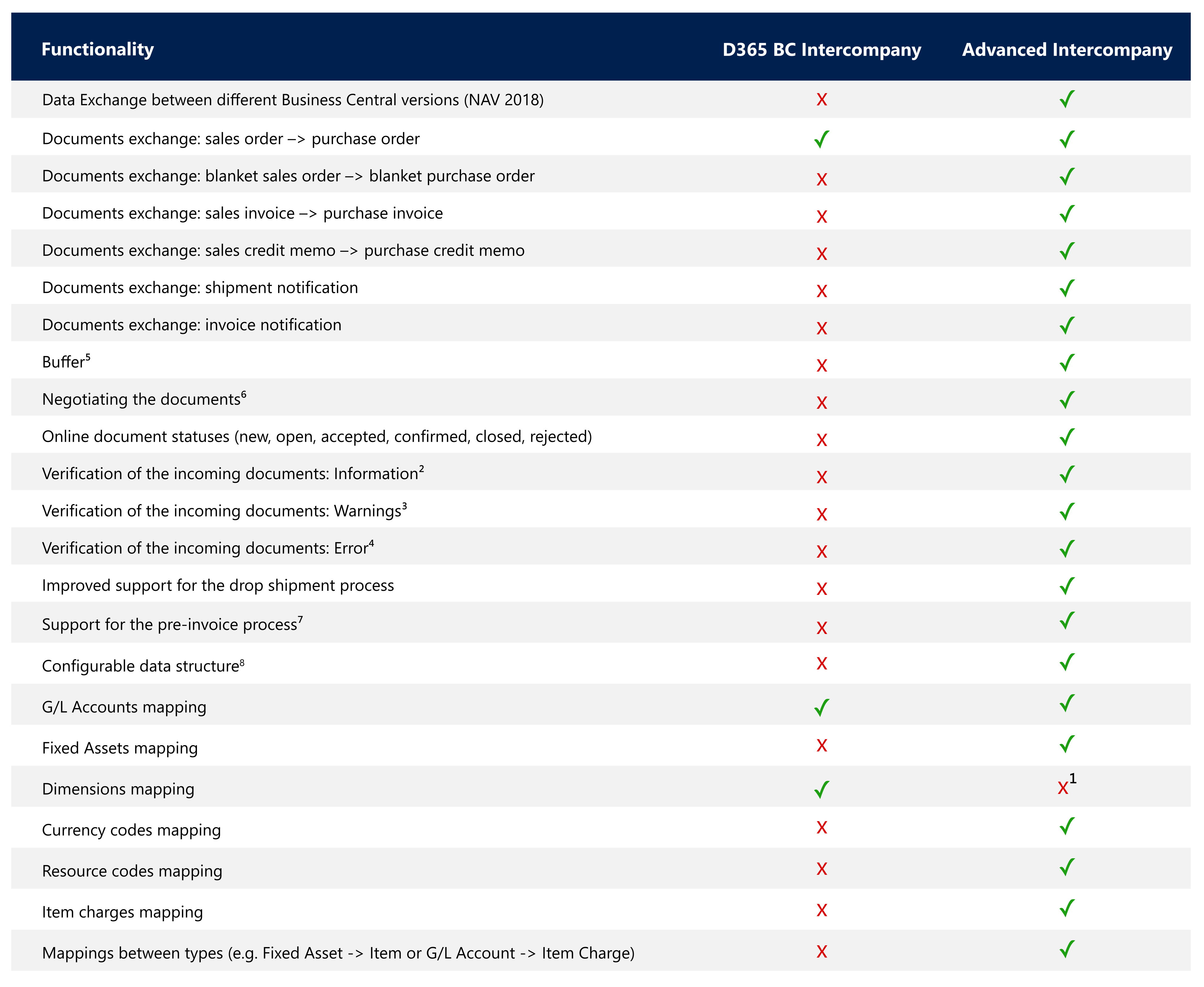
The assumption is that the intercompany partners manage their dimensions separately.
The document received contains the lines that have been mapped. Sample configuration: item numbers mapped, G/L accounts mapped, etc.
The document received contains a value that requires attention/verification. Sample configuration: the delivery date earlier than 3 days; the price different from the price for the intercompany partner, etc.
The document received contains an error. Examples: the item has not been found, the G/L account does not exist, etc.
If the document does not meet all of the required conditions, it will not be uploaded automatically to the target table (for example, to the Sales Header table), but it will be stored in the buffer. Sample conditions: the documents contain Warnings and Errors.
The intercompany partners agree upon the conditions of a transaction by exchanging the documents multiple times and adding their adjustments regarding the price, availability, discounts, delivery dates, etc.
Goods shipped from one company are automatically received at a virtual location by the other company. This way, when the goods are in transit from one company to another, the value of the goods does not disappear from the books from the group perspective.
Both Standard (Dynamics 365 Business Central) Intercompany and Advanced Intercompany provide initial setup including the fields that will be exchanged between the companies. If it is required to add a new field that will be exchanged, the Standard Intercompany module requires object modifications by a partner (e.g. XML ports, codeunits, etc.). In Advanced Intercompany such a change is configurable and does not require any Dynamics 365 Business Central (Dynamics NAV) objects adjustments.
In addition to the benefits related to the reduced risk of making an error when entering an order into an ERP system, the Advanced Intercompany enables companies to monitor value streams for the inventory moved between subsidiaries within their capital group.
If the process is handled manually, it is difficult to calculate the value of items that have been sent but have not been received at a target location. With the Advanced Intercompany app, when items are sent from a source business entity/subsidiary, the system in the target subsidiary automatically posts the document as a receipt in an "in-transit" location and creates a transfer order between this location and the actual warehouse location.











Read the full documentation to learn how Advanced Intercompany works in Microsoft Dynamics 365 Business Central.
Read the Documentation ↗~200 partners worldwide
Global Integration Apps are delivered and supported by partners around the world.
Become a Partner
Effective master data management
Master Data Management System is an app that ensures data consistency and synchronization in an international organisation working with Microsoft Dynamics 365 Business Central (Dynamics NAV). The app replicates data from all tables within the system.
Learn more
Access to complete inventory information and customer/vendor balances
Intercompany Insights is a solution that adds new views in Dynamics 365 Business Central where you can display data maintained in other companies within the group, such as inventory availability or customer balances data.
Learn moreHear from partners delivering Global Integration Apps to corporate groups around the world.